
FAQ
Najczęściej zadawane pytania i odpowiedzi do nich
5 videos found
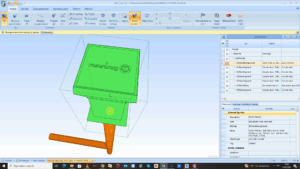
TWORZENIE ELEMENTÓW BIBLIOTEK W FLUID DESK BIM Z UŻYCIEM RODZIN RFA

ZESTAWY ARKUSZY, DRUKOWANIE, EKSPORT I IMPORT PDF
PODSTAWOWE FUNKCJE CAD FEATURES W FLUID DESK BIM
ZAAWANSOWANE FUNKCJE CAD W FLUID DESK BIM
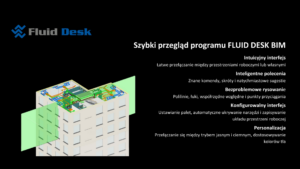
SZYBKI PRZEGLĄD PROGRAMU FLUID DESK BIM
-
-
24. Eksport plików IFC z programu Revit
Oto kilka podstawowych wskazówek, których należy przestrzegać podczas eksportowania plików IFC z programu Revit — zarówno tych zawierających wyłącznie modele... -
01. Wymagania systemowe
This document describes the minimum and recommended requirements for computers expected to run FLUID DESK CAD and FLUID DESK BIM; following these guidelines will result in an acceptable to excellent experience when using the FLUID DESK platforms and industry-specific modules. -
02. Instalacja i uruchamianie oprogramowania FLUID DESK
First, obtain the installer for the version that you want to install... This is usually done from the FLUID DESK website, www.fluid-desk.com; You will have to select Your preferred Language, CAD environment (AutoCAD, BricsCAD or FLUID DESK BIM) and its version; the available installer(s) will be listed -
03. Ładowanie, zarządzanie i dostosowywanie menu
All of the FLUID DESK modules (FLM, Ventpack, Hydronicpack, Sanipack and Project Explorer) each come with their own Menus, Toolbars and, more recently, Ribbons. These usually appear within the base CAD platform automatically after installation. -
18. Konfiguracja obliczeń akustycznych
Acoustic Calculations are a complex topic and require some expertise / experience to set up and run correctly. This article is intended as a quick reference guide of what You have to be careful of when configuring Your systems in Ventpack. -
05. Warstwa 0, Defpoints, uszkodzona geometria i wydajność
When using FLM, Ventpack, Hydronicpack and Sanipack functions, You may encounter errors such as incorrect geometry being created, functions failing randomly or operations taking much too long to complete. Here are some basic tips and tricks how You can avoid such typical problems. -
12. Współrzędne, OSNAPZ, UCS, ELEVATION i powiązane zagadnienia
In all CAD systems (FLUID DESK BIM, AutoCAD and BricsCAD), there are important concepts users should be aware of when entering coordinates, picking points or modifying entities using grips or the STRETCH command. While with You can work in 2D using all FLUID DESK software modules, behind that is a full 3D model where elevation (and thus, the Z coordinate) matters a great deal. -
22. Czyszczenie pliku – 3 polecenia
Before or during your work in the program, use three commands to clear files of (for example) empty blocks left by the architect. Below are three step-by-step instructions for these functions. -
23. Przenoszenie instalacji w pobliże punktu 0,0,0 układu UCS
If the installation is too far from the 0,0,0 coordinate system and elements begin to disappear, it should be moved... -
25. W jaki sposób prawidłowo wyeksportować model systemów instalacyjnych z formatu DWG do IFC?
Model systemów instalacyjnych utworzony w programie FLUID DESK BIM można wyeksportować do formatu IFC za pomocą polecenia MKEIFC. Polecenie generuje plik IFC, zachowując geometrię instalacji oraz informacje o...